Loading...

Reserve with Google
Integration with Bookinz

Enable Book Online on Your Google Business Profile and let customers book appointments directly from Google Search and Maps

What is it?

What is Reserve with Google?

Reserve with Google is a powerful booking feature that allows customers to schedule appointments directly from a business listing on Google. No extra clicks, no complicated processes—just seamless booking.

Instant Booking

One-click appointment scheduling
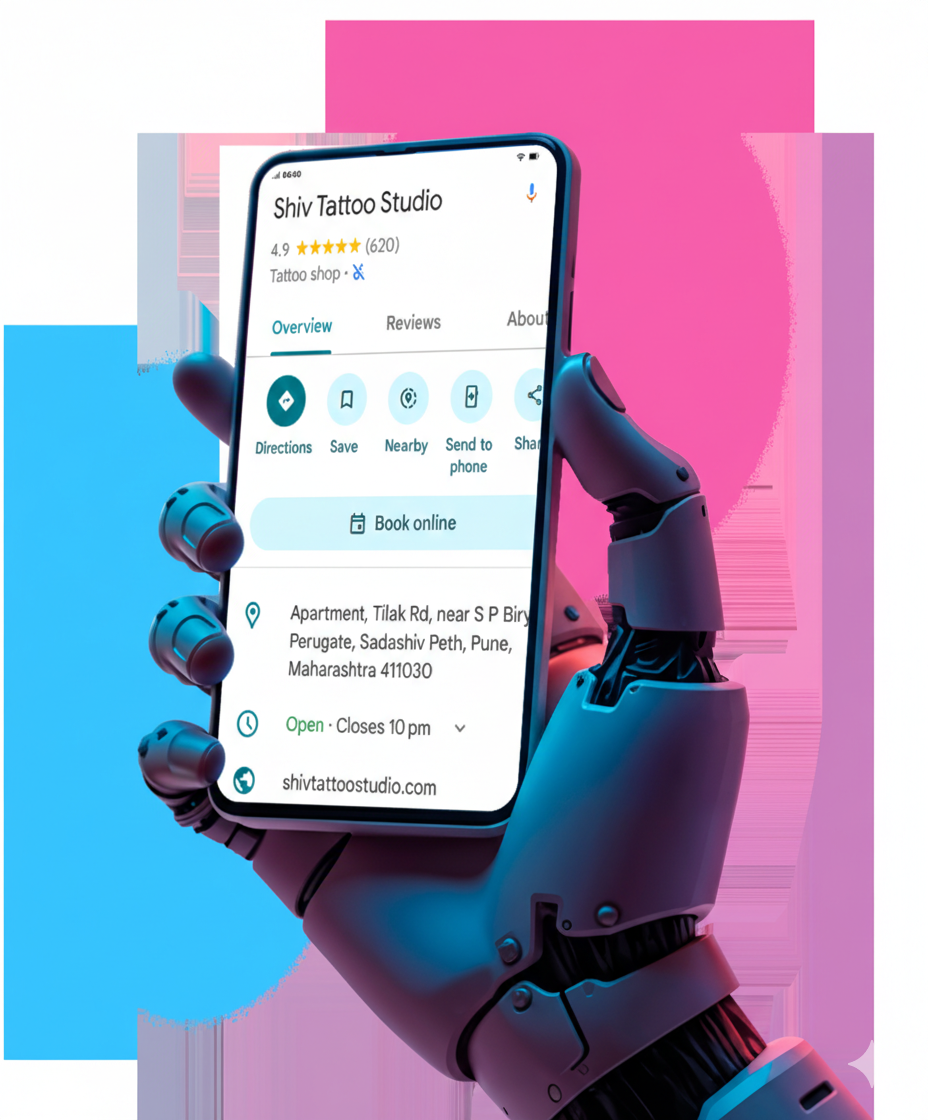
Customer searches your business on Google
1
Book Online button appears (if category eligible)
2
Customer is redirected to your Bookinz booking page
3
Appointment is confirmed inside your Bookinz dashboard
4
Integration

How Bookinz Works with Google Booking

Bookinz supports the Appointment Redirect integration model, ensuring seamless connectivity

Secure Redirection

Direct and secure redirection to your Bookinz booking page

Real-time Availability

Live availability management with instant updates

No Manual Syncing

Everything syncs automatically in the background

No Double Booking

Smart conflict prevention system built-in

Google Booking Integration
Benefits

Benefits of Enabling Google Booking

Transform your business with seamless Google integration

Higher Google Conversion Rates

Customers can book instantly without navigating multiple pages. Reduce friction and increase conversions.

Improved Local SEO Engagement

Increased interaction signals on your Google Business Profile boost your local search rankings.

Mobile-Friendly Booking Experience

Optimized for users searching from mobile devices. Book on-the-go with ease.

Professional Business Presence

Instant booking improves customer trust and convenience, setting you apart from competitors.

Eligibility

Eligibility Requirements

To enable Reserve with Google integration, your business must meet the following criteria:

Check Eligibility
Active Google Business Profile
Supported booking categories (e.g., salon, clinic, fitness, etc.) — including all categories that have the “Booking” option available in their Google My Business dashboard.
Active Bookinz account
Approval based on Google's category guidelines
Features

Features Included with Bookinz

Everything you need to manage your bookings efficiently

Online Appointment Scheduling
Reserve with Google Integration
Automated Confirmations
Customer Database Management
Real-Time Booking Notification
Add-on Staff and Service Management
Booking Reports & Analytics
FAQ

Frequently Asked Questions

No. Google enables booking only for eligible business categories. Categories like salons, clinics, fitness centers, and professional services are typically supported. Contact us to check if your business category qualifies.

Yes. The Book Online (Reserve with Google) integration is an optional add-on available at ₹2000+GST per year with your Bookinz subscription. Your regular Bookinz plan works independently. The integration fee applies only if you choose to activate the Book Online feature. There are no hidden charges beyond your subscription and the optional add-on fee.

All bookings made through Google are redirected and recorded inside your Bookinz dashboard. You'll see them alongside all your other bookings. You can also view bookings that came from Google directly in your Google My Business dashboard under Performance → Bookings.

Yes. You can request deactivation anytime via Bookinz support. However, please note that if you choose to reintegrate after deactivation, additional charges may apply. The integration can be turned on or off as needed, ensuring you have full control over your booking channels.
Get Started

Enable Book Online feature
for Your Business Profile

Start receiving direct appointment bookings from Google Search and Maps. Join thousands of businesses already growing with Bookinz.

Get Started with Bookinz
Book Online Button on Google Business Profile
Android App to Manage Bookings
Real-Time Booking Notification
WhatsApp